Let your PC do the boring bits
Automation Studio finds buttons and fields on your screen, then clicks and types for you. Record a few steps, press F8 and go get a coffee.
Windows 10 and 11 · nothing to install · one single file
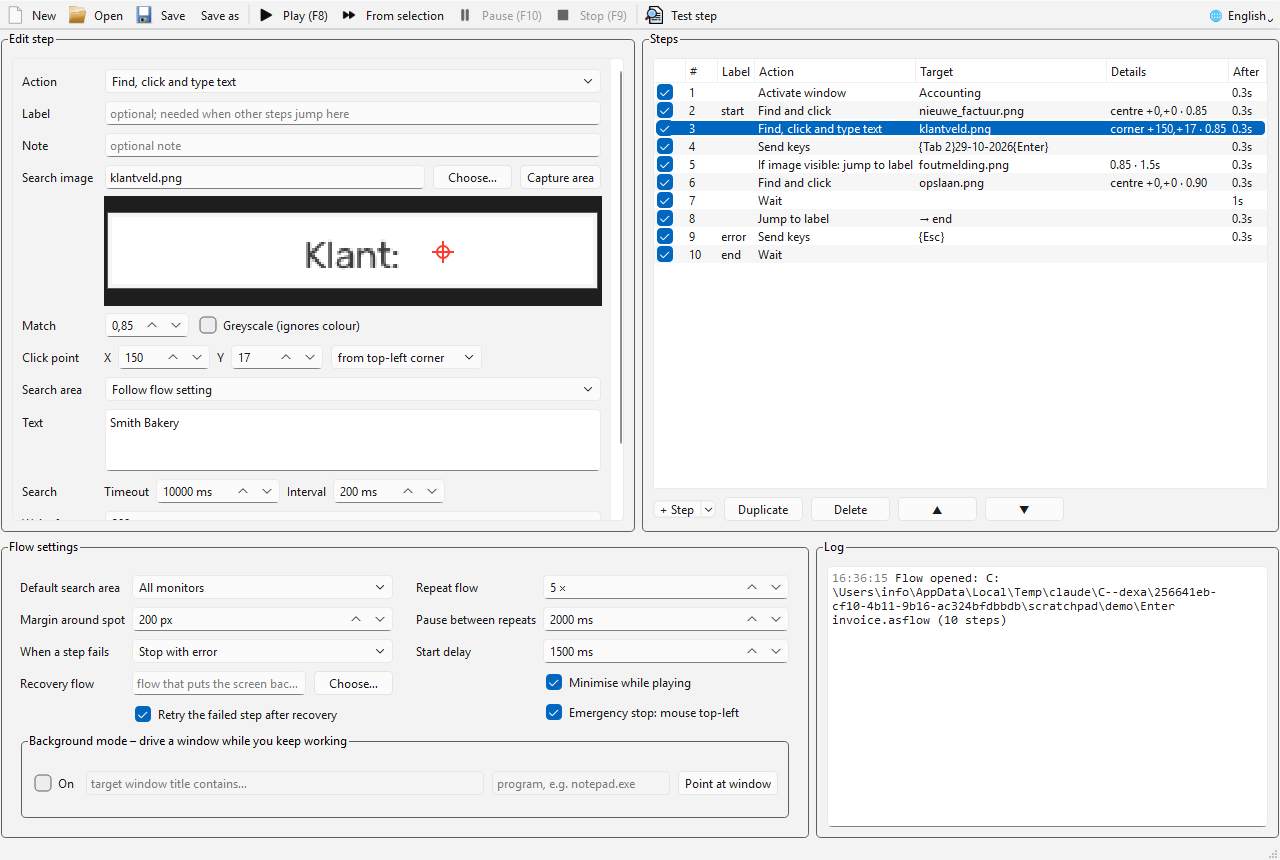
Everything you need to automate the clicking
No programming required. You build a flow from plain steps and see straight away whether it works.
It sees the screen
Finds buttons even when a window has moved. Works across all monitors and at any Windows scaling.
Test a step with one key
F5 shows where a step finds its target and how sure it is, without clicking. No surprises when you hit play.
Smart flows
Labels, jumps, “if this image is visible”, repeats, and a recovery flow for when things go sideways. Fill in a different row from Excel or CSV every round with {{Column}}.
Typing and shortcuts
Types any character, é and € included, whatever your keyboard layout. Shortcuts such as ^s or {Tab 3}.
Background mode
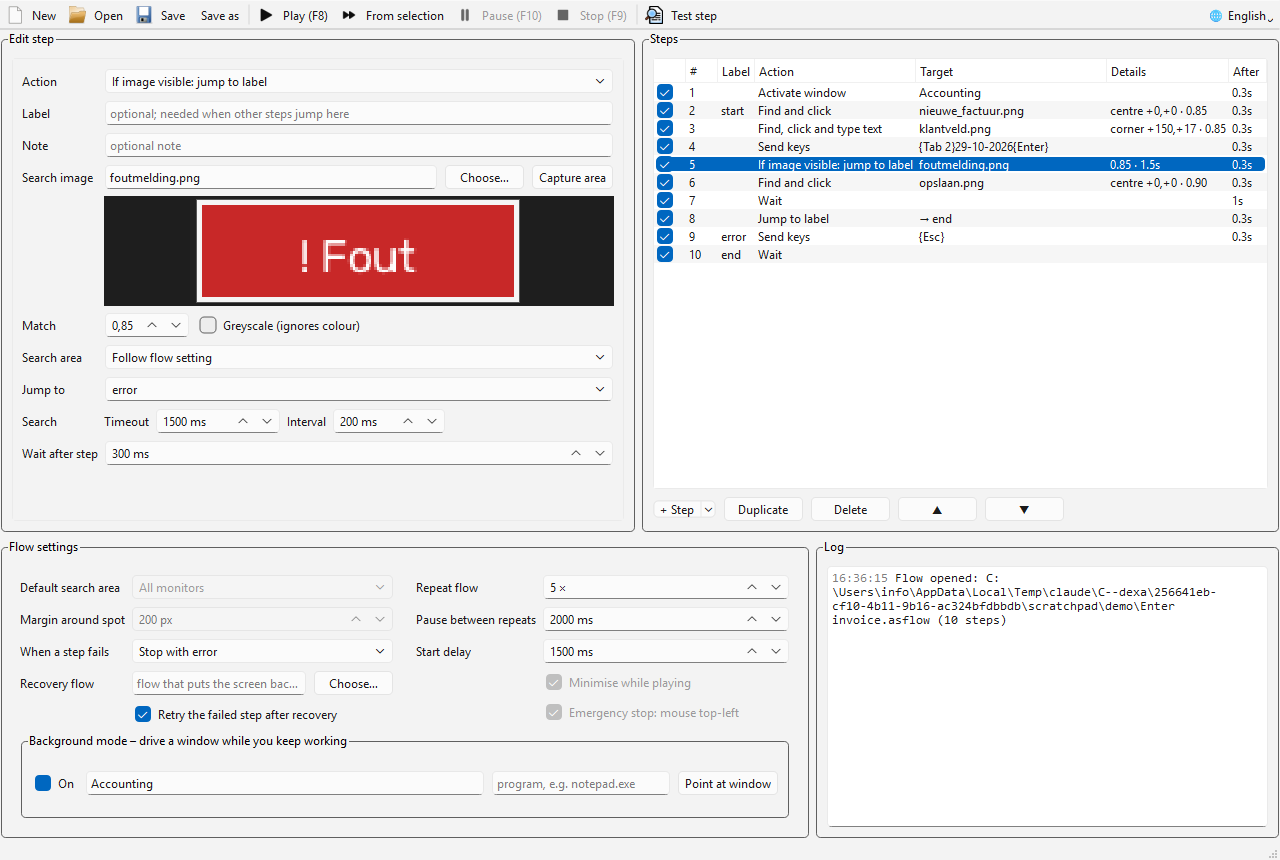
Drive a program hidden behind other windows while you keep working.
Always stoppable
F9 stops, F10 pauses, anywhere in Windows. Or fling the mouse into the top-left corner: emergency stop.
Your first flow in four steps
Say, entering an invoice in your accounting software. A hundred times in a row.
- Add a stepPick an action, such as “find, click and type text”.
- Capture an areaPress Ctrl+G and drag a box around the button or field.
- Test itPress F5 and the program shows what it found.
- PlayPress F8. Repeat it, or let it run once for every row of an Excel sheet.
Keep working while the flow runs
In background mode Automation Studio leaves your mouse and keyboard alone. It talks to one program directly.
- The window may be covered. The image is read from the window itself.
- Your mouse stays yours. Clicks and keystrokes go straight to the program.
- One click to set up: point at the window and you are done.
Works best with classic Windows programs, such as a lot of accounting and point-of-sale software. Browsers and some modern apps don't play along; the manual explains what to do then.
The keys that matter
Download
One file, no installer. Drop it in a folder and double-click.
Automation Studio for Windows
Download .exeManual
Open the PDFDoes Windows say “Windows protected your PC” on first start? Click More info, then Run anyway. The program is not digitally signed. Old flows from the AutoHotkey version (.ias) open just fine.